An AI assistant that starts small and grows into the portal itself, one agent at a time.


Try the assistant
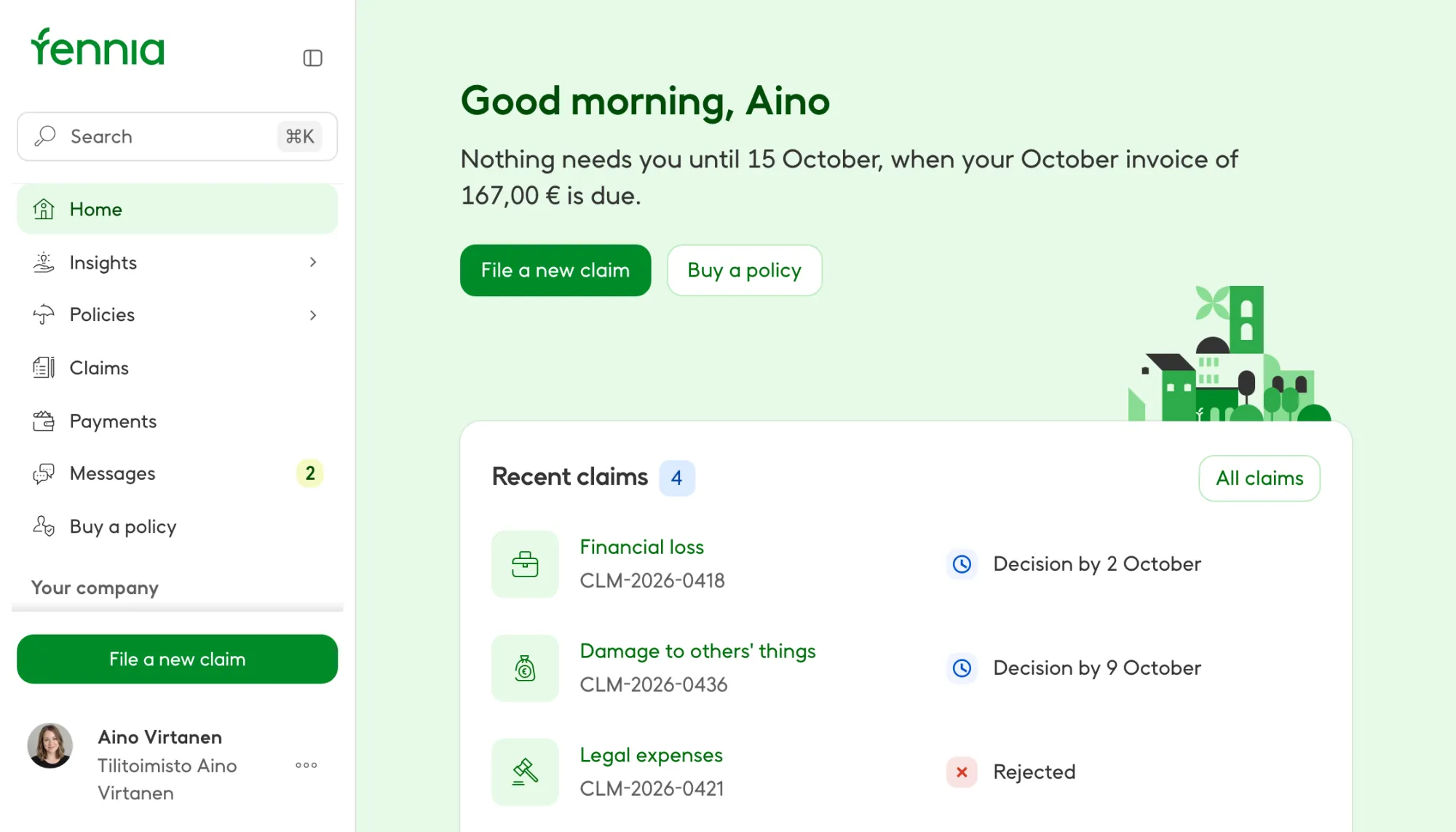
This was a new experiment for the business portal. As design lead, I worked with our AI architect to explore what an AI assistant could do. We drew on earlier B2B portal research in our knowledge base. We shaped a vision for the future AI experience while building features along the way. Quick prototypes tested with customers kept the two connected.
We mapped seven customer moments by pain and business cost to see which agents to build first.
One assistant brings six agents together as they launch. We had to nudge people towards what worked without letting it disappoint them.
Because we could build only one backend agent at a time, we needed to nudge customers towards the tasks the available agents could handle.
Before trying it, people saw AI chat as just another chatbot and disliked it. After seeing what it could do, they were impressed and liked it.
0 clicks. No answer.
Answered in 2 messages.
Chat felt too fluid for important insurance tasks. For example, customers preferred filing claims in a form they could review, seeing the sources behind AI answers, and returning to past conversations to check what was said.
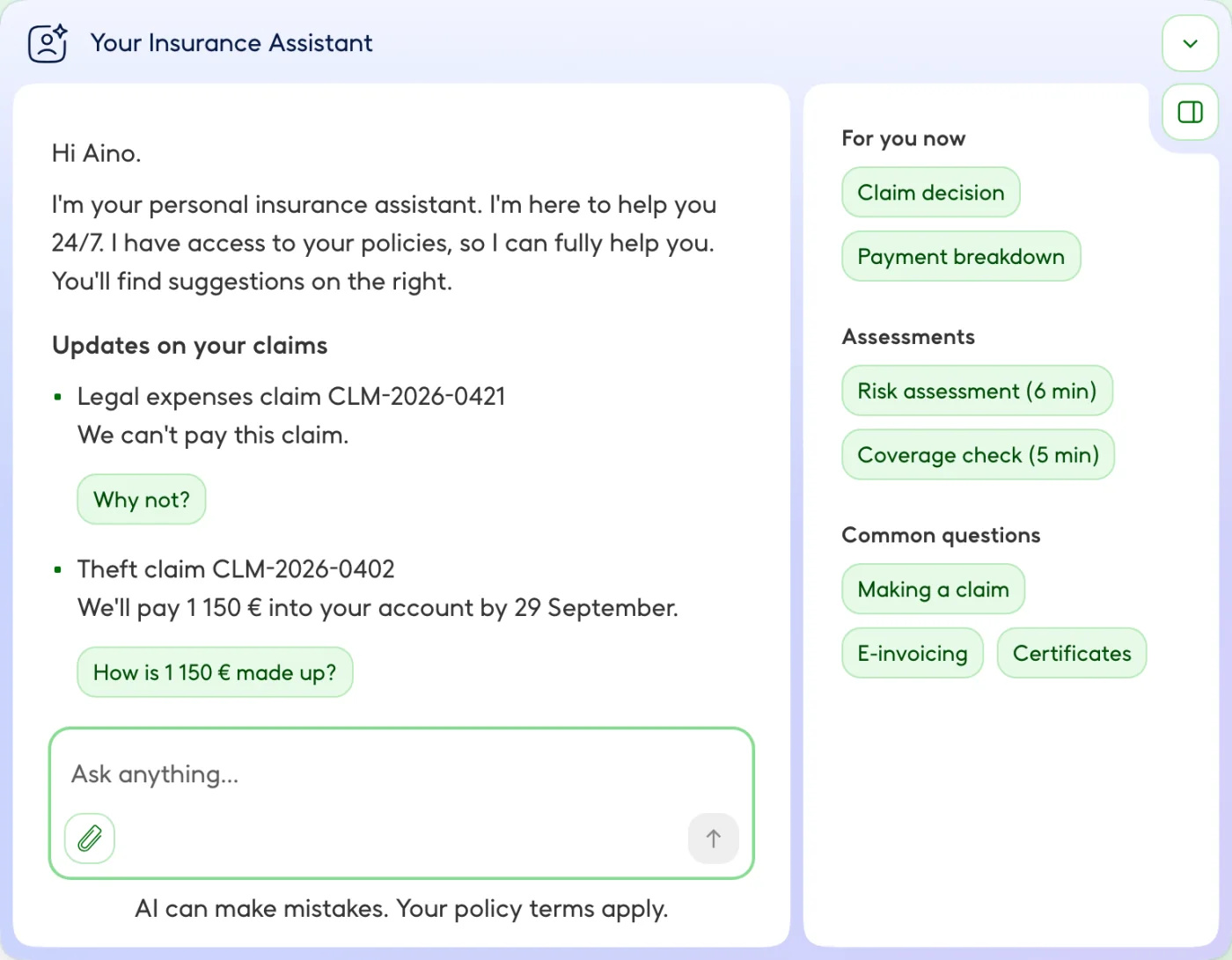
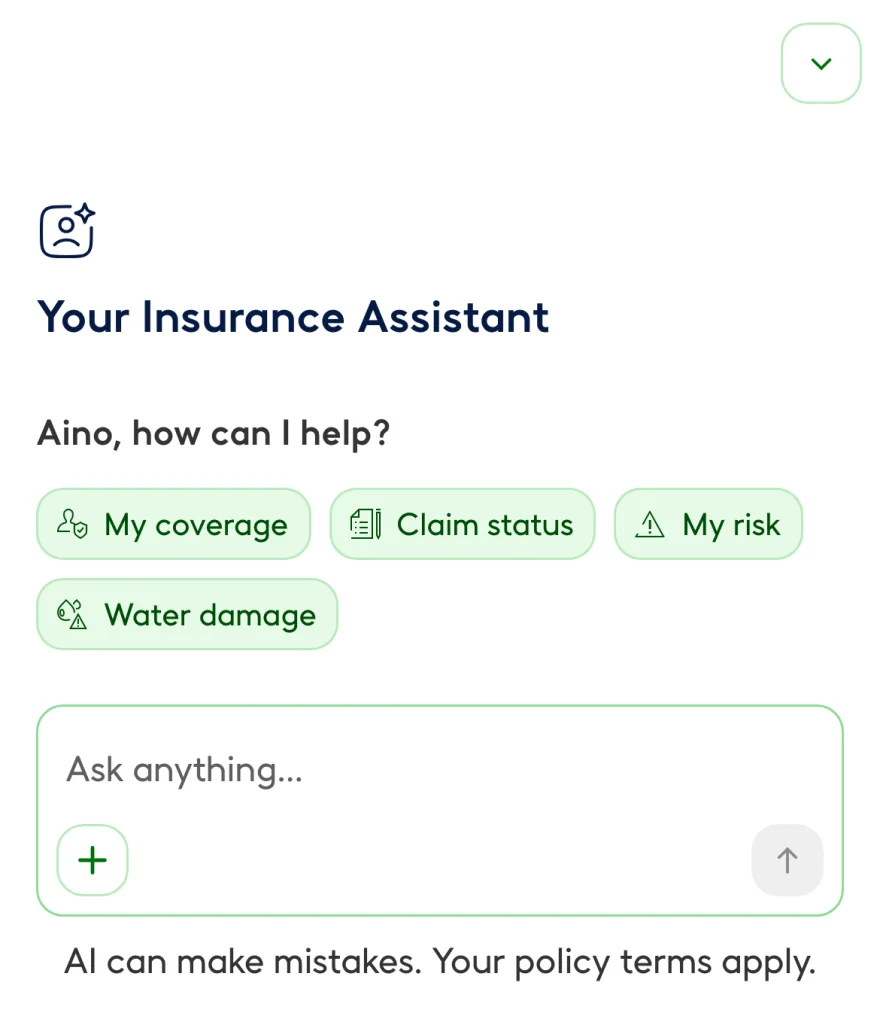
On task cards, a prompt such as Reassess risks helps customers use the AI chat for tasks it can handle.
Suggested prompts guide customers towards what the AI chat does well and reduce the risk of disappointing answers.
Hi Aino. I can help with your insurance and claims.
AI can make mistakes. Your policy terms apply.
Onboarding introduces the AI chat and sets expectations for what it can and cannot do.
The MVP chat cannot take documents yet. We also left out the option to speak to a person, because we thought people would ask for one straight away, before giving the chat a try. Contact us keeps its own place in the portal.
 Generic chat titleLinked answer sourceAnswer feedback controlsOpen-ended promptAI and policy disclaimer
- Generic chat title
- Linked answer source
- Answer feedback controls
- Open-ended prompt
- AI and policy disclaimer
The AI assistant should become the main way customers use the portal. It should feel like walking into an office and speaking to someone who can help. It takes centre stage on the screen, so it feels substantial and worth using. First, we need to build the agents behind it.
Customers can’t tell us what they want from an AI assistant they have never used. We learn from what they do: what they ask, which answers they rate, and where they give up.
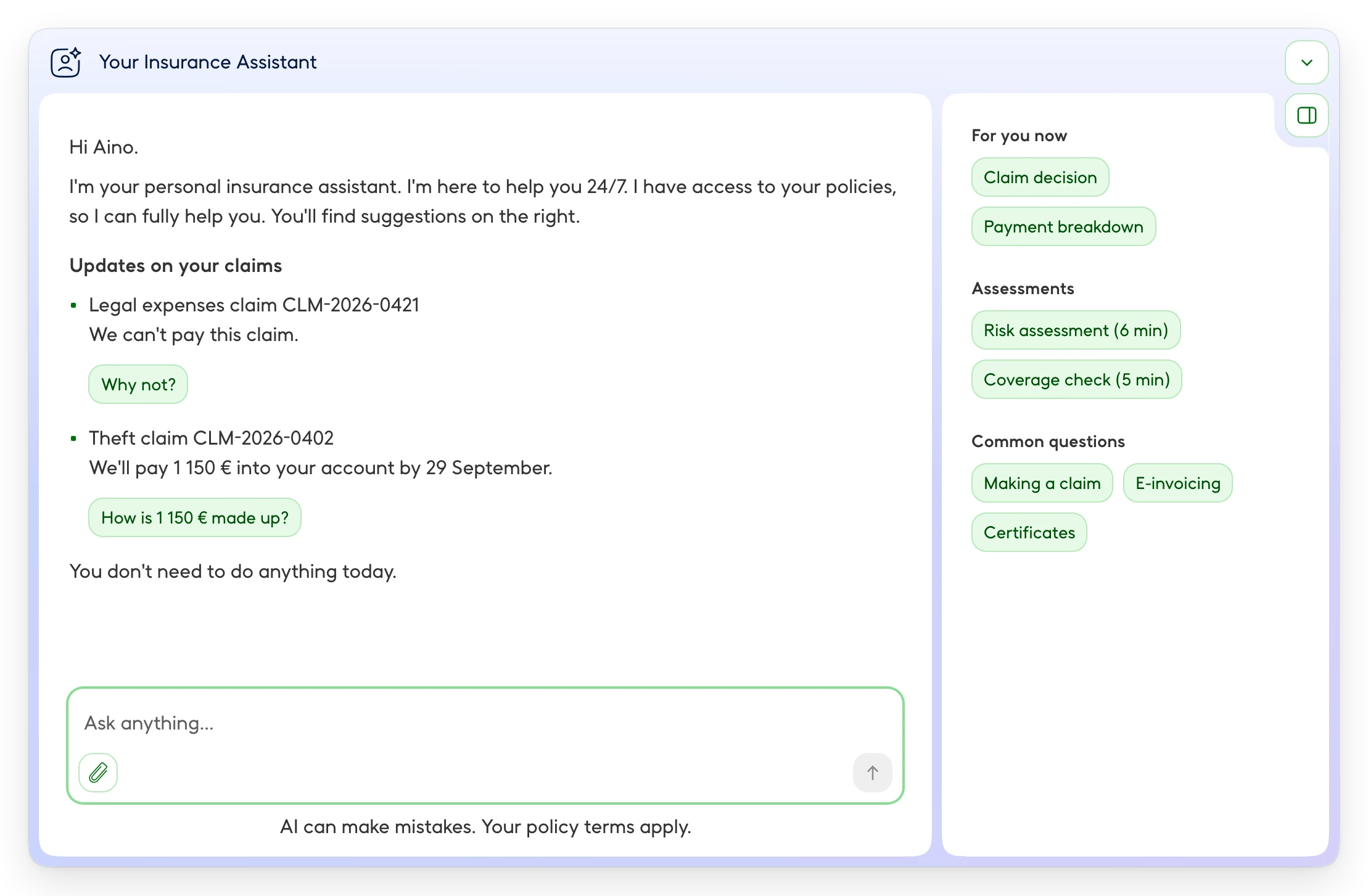 Make it feel personalAlways availablePolicy-specific helpRelevant updatesAsk for detailsOpen-ended promptHide suggestionsTimely suggested actionsFitting assessmentsPopular topicsCentre-stage window
- Make it feel personal
- Always available
- Policy-specific help
- Relevant updates
- Ask for details
- Open-ended prompt
- Hide suggestions
- Timely suggested actions
- Fitting assessments
- Popular topics
- Centre-stage window
The assistant’s name changes by page. Clicking the name opens a conversation about that page.
The assistant’s mark sits beside figures customers may ask about. Each place offers its own questions.
The invoice to pay, on Payments
What's in it?Discount included?If I pay late?A claim's estimate
When is it paid?Who pays the rest?Can it change?The loyalty discount, on Policies
How does it work?When does it increase?A policy's coverages and deductibles
What is a deductible?Can I change it?What would an upgrade add?What's next, on Claims
When do I get the money?What is still open?What was paid this year, on Claims
Why did I pay part?What is a deductible?
The assistant turns instructions into steps, and its widget becomes a stepper that guides customers through the task.
Past conversations have their own page in the side menu.
Customers see one AI assistant, but its six backend agents are built one at a time, so at first it cannot do everything. The design nudges customers towards what it can do now and evolves as each agent launches.
So the assistant has to win people over at the moment it can do the least.
Customers expect another chatbot
Mental model
What customers believe
Represented model
What the design shows
- Prompts on task cards
- Prompts in chat
- Walkthrough after sign-in
- Assistant at centre stage
- Context-specific assistance
- Questions from the mark
- Steps that come along
Implementation model
How it is built
- 01policy_agent
- 02claims_agent
- 03care_agent
- 04billing_agent
- 05quote_agent
- 06change_agent
Designing with delivery
This was a new way of designing. I worked closely with the AI architect, and we both used Claude Code, which made sharing ideas and handing over designs much easier. We planned to launch a small experience, not a full one, then record how customers used it and calibrate as we went. We tracked each feature as in design, ready to build, in build, built, or needing improvement. Each handover included a prototype, acceptance criteria, copy, and accessibility checks.
Supporting each launch
For each launch, we use the knowledge base to make a task blueprint showing how each channel can introduce the new feature. This helps customers notice and use it, while giving teams across Fennia a shared plan that breaks down silos.
 Channels | AwarenessI become aware of the need for insurance | ConsiderationI find the right insurance for myself or for my company | BuyingI accept the offer | I know how to interact with Fennia going forward | Being a customerI’m confident that my insurance policies are always up to date | I feel cared for as a customer | Claim eventsI receive quick assistance in case of an accident, damage or loss |
|---|---|---|---|---|---|---|---|
| Business portal | Show the welcome tour | Answer coverage questions | Answer claim questions | ||||
| Customer service | Mention the assistant after helping | Show how to open the assistant | Mention the assistant after helping | ||||
| Claims handlers | Mention claim tracking after helping | ||||||
| Fennia.fi | Show the assistant on business pages | Banner: answers any time | |||||
| Mention the assistant in the offer | Introduce the assistant | Prompt a yearly coverage check | |||||
| Text message | Link to claim tracking | ||||||
| Newsletter | Share questions to ask | ||||||
| Chat | Answer routine questions | Transfer to a person | |||||
| Partners | Tell accountants about the assistant | ||||||
| Letters | Introduce the assistant in the welcome letter |
New patterns earlier
I would worry less about departing from the design system because agentic experiences need new patterns. I would test them early in the B2B portal, where fewer customers mean less risk.
A second designer
I would bring in a second designer when design began because there were many new patterns. The work continues, and some small UI details still need fine-tuning.